Tic-Tac-Toe GUI
Goal: Students turn terminal Tic-Tac-Toe into a Pygame board with visual pieces.
Duration: 3-5 class hours.
Prerequisites: Tic-Tac-Toe game logic, lists, functions, Pygame basics, and image assets.
Overview
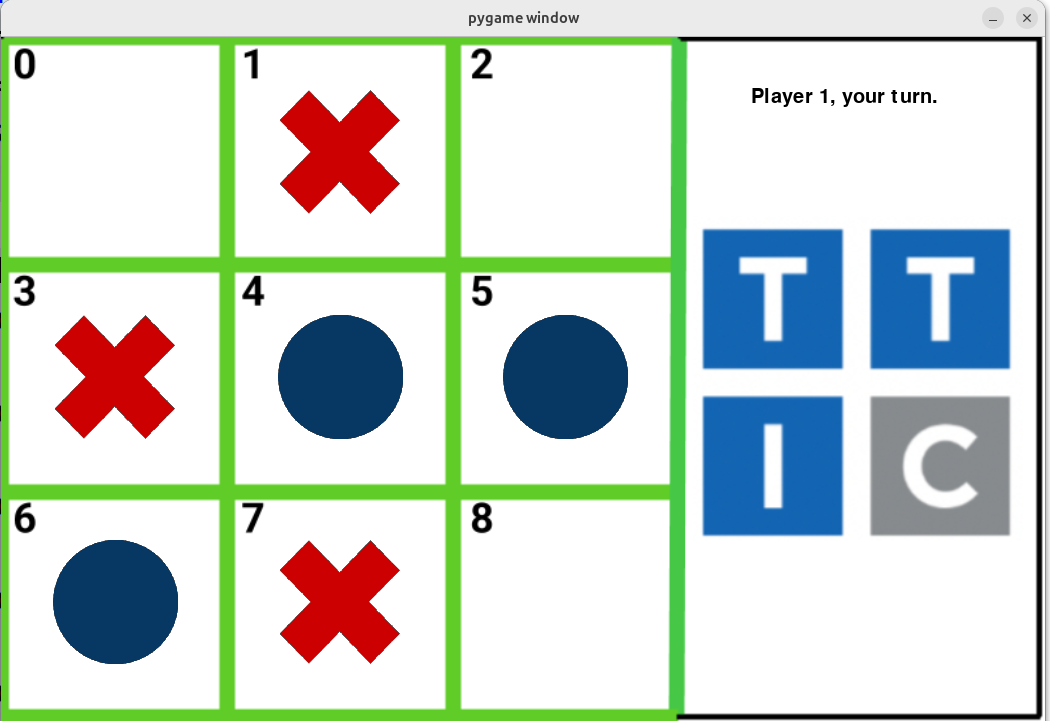
Students create a graphical Tic-Tac-Toe game. The board is drawn with image assets, and players place red X and blue O pieces by selecting square numbers.
Learning Objectives
- Carry terminal-game state into a graphical interface.
- Render board state from a Python list.
- Load and place transparent image assets.
- Handle keyboard input for square selection.
- Display turn and end-game messages.
- Reuse winner-detection logic from the text version.
Materials
Students need two transparent PNG game pieces. They can create them in Piskel with a 64-by-64 canvas, or create images in slides and remove backgrounds with Photopea.
Lesson Flow
- Review the terminal Tic-Tac-Toe board representation.
- Create or provide
XandOimage assets. - Draw the board background.
- Map board indices to screen locations.
- On each keypress, update the board list.
- Redraw pieces from the board list.
- Detect wins and ties.
Continuity
This module is a direct bridge to robotic Tic-Tac-Toe. The same board indices later correspond to camera-detected board squares and robot placement positions.
Repository Code
- Pygame/game assets: https://github.com/ripl/hs-robotic-manipulation-course/tree/main/python/2025_ARM
- Robot Tic-Tac-Toe game code: https://github.com/ripl/hs-robotic-manipulation-course/tree/main/robotics/game