Pop the Balloon
Goal: Students build a Pygame click-target game and extend it with moving balloon objects.
Duration: 1-3 class hours depending on extension depth.
Prerequisites: Python functions, variables, conditionals, and basic Pygame drawing.
Overview
Students make a simple graphics program where a balloon appears on the screen. When the user clicks the balloon, the score increases and the balloon moves to a random location.
The original lesson follows the Coding with Sphere Pop the Balloon video, which is a useful guided introduction before students customize the colors, size, and background. The repository's local Tic-Tac-Toe demo remains available on the course home page.
The extension adds many balloons, moving objects, color-specific targets, and a Balloon class.
Learning Objectives
- Use the Pygame event loop.
- Track mouse clicks.
- Detect whether a click hits a circle or ellipse.
- Randomly place visual objects.
- Draw score text.
- Use a class to represent balloons with color, position, movement, and collision behavior.
Lesson Flow
- Students play an unplugged balloon activity in small groups.
- Groups discuss how a computer could decide whether a mouse click hit a balloon.
- Students build a single-balloon Pygame version.
- Students customize colors, size, and background.
- Students extend the game with multiple moving balloons.
Collision Check
The basic version treats the balloon like a circle and checks whether the mouse is within the radius:
def check_circle_collision():
    mouse_pos = pygame.mouse.get_pos()
    distance = math.sqrt(
        (mouse_pos[0] - circle_pos[0]) ** 2
        + (mouse_pos[1] - circle_pos[1]) ** 2
    )
    return distance < radius
Class-Based Extension
The extension gives each balloon its own color, position, and movement behavior.
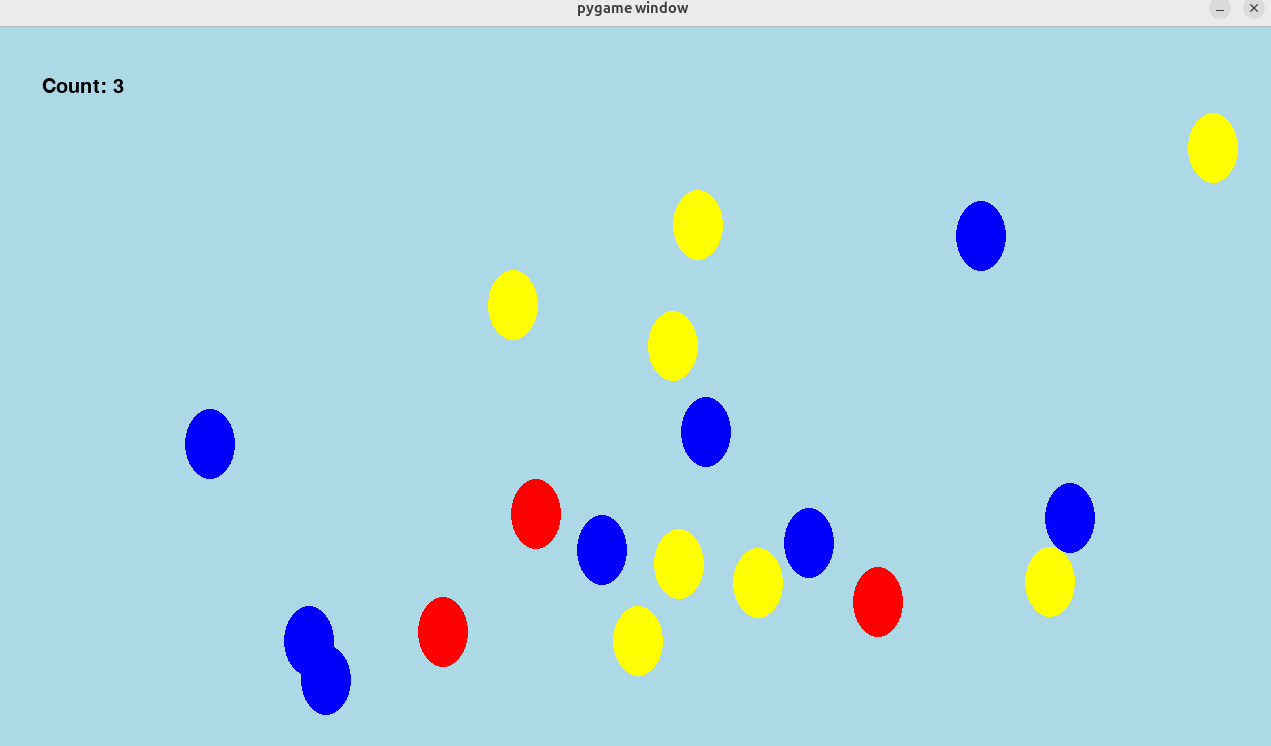
Discussion prompts:
- What information should each balloon remember?
- What methods should a balloon know how to perform?
- Why is a class cleaner than separate lists of positions, colors, and speeds?
Continuity
Pop the Balloon gives students a concrete reason to learn objects and classes. That prepares them for robot and game code where each object has state and behavior.