Race for the Treasure
Goal: Students build a two-player Pygame race where players move sprites to collect a treasure.
Duration: 1-2 class hours.
Prerequisites: Pygame basics, functions, variables, rectangles, and keyboard events.
Overview
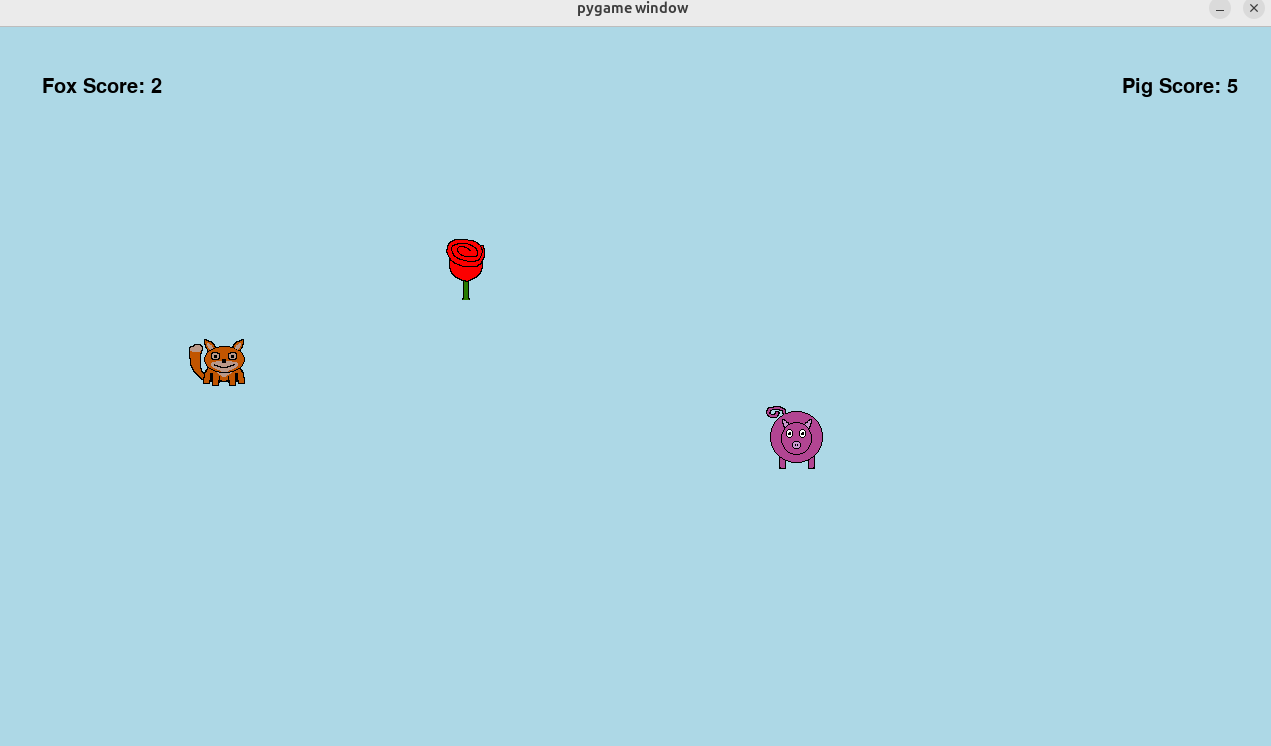
Students create three image assets: player 1, player 2, and a treasure. Player 1 uses WASD; player 2 uses the arrow keys. Both players race to reach the treasure. The first player to touch it earns a point, and the treasure reappears in a random location. The first player to 10 points wins.
Learning Objectives
- Load transparent PNG sprites.
- Use
pygame.Rectobjects for positioning. - Move sprites with keyboard events.
- Detect collisions between rectangles.
- Track two scores and display them on the screen.
- Randomize object positions after a collision.
Assets
The draft curriculum uses small transparent sprites:


Students can make their own sprites with Piskel. A 64-by-64 canvas works well for this module.
Lesson Flow
- Students create or choose three transparent PNG assets.
- Students load and scale the images in Pygame.
- Students bind
WASDand arrow-key controls. - Students add treasure collision detection.
- Students add scorekeeping and a win condition.
Continuity
This module moves students from static drawing to sprite-based interaction. It prepares them for board-game GUIs where image assets must be placed according to game state.
Repository Code
- Sprite assets and game examples: https://github.com/ripl/hs-robotic-manipulation-course/tree/main/python/2025_ARM